Welcome to our updated tutorial covering the new CakeDC Users Plugin for CakePHP 3. In this tutorial we'll setup and configure the Plugin, introducing some of the available features.
Note this is the updated tutorial for the latest version of the plugin 3.1.5.
We'll assume you are starting a new CakePHP 3.2.x application, with some existing tables (blog site maybe?).
Setup
Easy thing, let's use composer to install the CakeDC Users Plugin
composer require cakedc/users
Now ensure the Plugin is loaded from your bootstrap.php file
Plugin::load('CakeDC/Users', ['routes' => true, 'bootstrap' => true]);
Create some tables to store the users in your database
bin/cake migrations migrate -p CakeDC/Users
This migration will create 2 tables into your database, "users" where the users and credentials are stored, and "social_accounts" where the tokens for the social login feature will be stored and managed.
Now you can register a new user (ensure your CakePHP is able to send emails to get your validation link correctly), or you could use the provided shell to create new users from the command line
bin/cake users addSuperuser
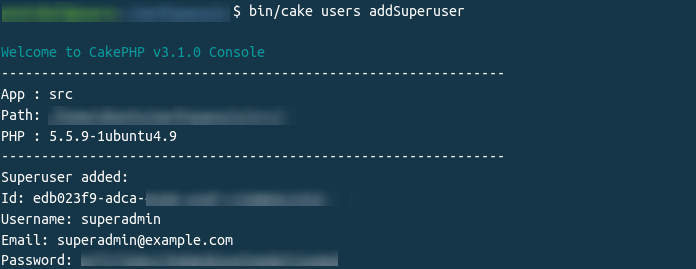
This new super user will be granted full administrative permissions (check the src/Auth/SuperuserAuthorize class for more details and configuration)
Configuration
Load the Component in your src/Controller/AppController.php
    public function initialize()
    {
        parent::initialize();
        //
        // ...
        //
        $this->loadComponent('CakeDC/Users.UsersAuth');
    }
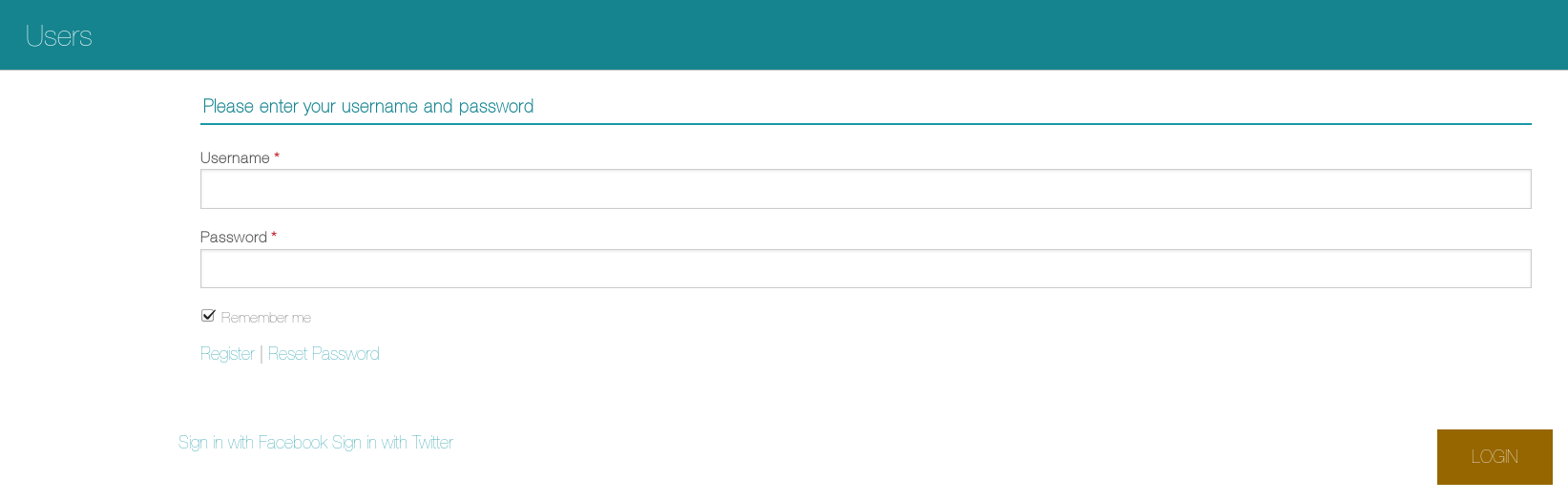
Now you have the Plugin installed and a brand new superuser granted with full permissions, it's time to configure permissions for the rest of the roles you'll need.
Simple role based permission rules
By default, the CakeDC Users Plugin allow users to register, and all new users are assigned role = 'user' by default. Note you can change the default role name assigned to new users, but we'll keep the 'user' role for now. Let's assume you have some controller with a couple actions you want to allow, for example "/posts/view/*" We are going to configure SimpleRBAC to allow the role = 'user' accessing the 'view' action:
Create a new file "config/permissions.php" with the following contents
    return [
        'Users.SimpleRbac.permissions' => [
            [
                'role' => 'user',
                'controller' => 'Posts',
                'action' => ['view'],
            ],
        ]
    ];
Now you've defined your first permission rule, allowing users with role = 'user' to access the /posts/view action, note you can use wildcards '*', and arrays to cofigure your rules.
Cool, so now you have users in your application, allowing new users to register, validate their emails, login, change password, and use cookies to remember login. In our next short tutorial we'll cover Facebook login and Twitter login.
Ownership
What about ownership? We are talking about posts, and possibly you'll need to allow the post author to edit his own post, the good news: this is super easy with CakeDC Users Plugin.
We'll assume you have a user_id column in your posts table to support the association Posts belongsTo Users. Add a new rule to allow only the owner of a given post to edit it. Update your permissions.php file, adding this rule:
    use Cake\ORM\TableRegistry;
    use CakeDC\Users\Auth\Rules\Owner;

    return [
        'Users.SimpleRbac.permissions' => [
            [
                'role' => 'user',
                'controller' => 'Posts',
                'action' => ['view'],
            ],
            [
                'role' => 'user',
                'controller' => 'Posts',
                'action' => ['edit', 'delete'],
                'allowed' => new Owner(),
            ],
        ]
    ];
And we're done, you've configured ownership permissions for your ['edit', 'delete'] actions.
Check other examples in the CakeDC Users Plugin Docs
Read more about CakeDC Users Plugin
Giving back to the community
This Plugin's development has been sponsored by the Cake Development Corporation. Contact us if you are interested in:
- Professional, commercial CakePHP development and expert consultancy
- Professional CakePHP training
- CakePHP code reviews
We'll continue working on our open source plugins (like this one) to give back to the amazing CakePHP Community!
