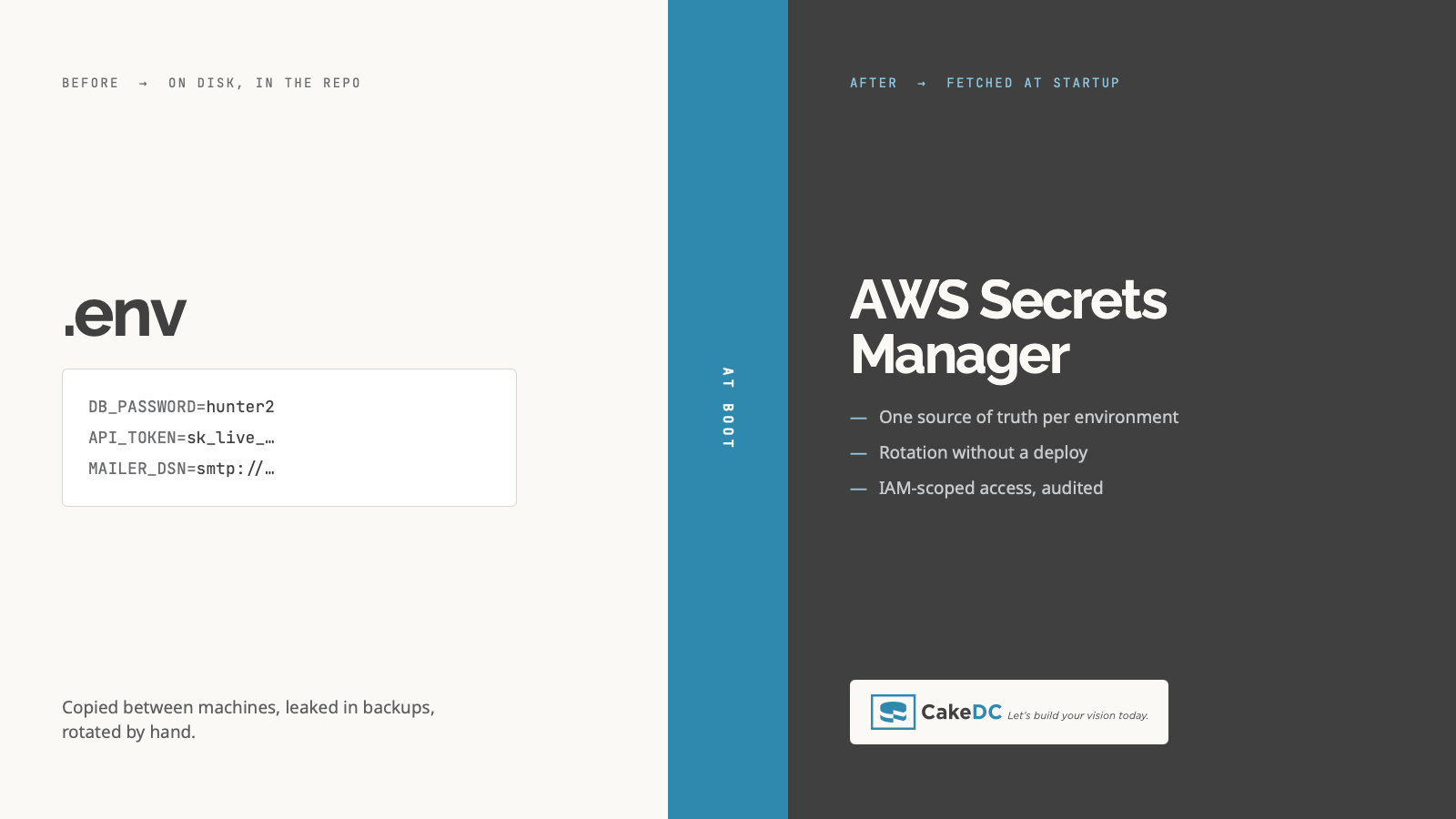
Every application I've worked on needs secrets to run: database passwords, API keys, encryption keys, OAuth signing material. So the question was never whether we had secrets, it was where they lived. And for years, in a lot of projects, the honest answer was "in a config file that half the team has copied to their laptop at some point". That's fine until it isn't. One leaked file, one screenshot pasted into a chat, one accidental commit, and someone has the keys to your whole system.
This article describes the pattern I ended up with for loading secrets from AWS Secrets Manager when the application boots. It includes a read-through cache, a fallback for when AWS is briefly unreachable, fail-fast validation on deployed environments, and a local development setup that doesn't touch AWS at all. The code is PHP, but nothing here is PHP-specific; the same architecture works in any language.
Why I stopped keeping secrets in the codebase
Committed config files have a few problems that only become obvious after they bite you.
The first is that version control never forgets. Once a secret lands in a commit, deleting the file later does nothing: the value is still in history, and everyone who ever cloned the repo has a copy. The second is that config files travel. They end up on laptops, in tickets, in Slack threads, in backups you don't control. Third, there's no rotation story: when a hardcoded secret leaks, rotating it means editing code and redeploying everywhere. And finally, a file on disk can't tell you who read it or when. There's no audit trail at all.
A secrets manager addresses all of this. Values live outside the code, IAM policies control who can read them, every read is logged, and rotation is just changing a value. The rest of this guide is about consuming one safely, because that part has more sharp edges than you'd expect.
What I wanted from the design:
- One secret per environment, as the single source of truth for deployed servers.
- Zero secret values in the repo. The code reads keys by name.
- A momentary AWS outage should not take the app down at boot.
- A missing required secret should stop a deployed boot loudly, instead of failing in some mysterious way at runtime three hours later.
- Developers keep using a local
.envfile. Nobody needs AWS credentials to run the app on their machine.
Architecture at a glance
              ┌─────────────────────────────────────────────┐
  App boot ──►│  SecretsProvider::load()                    │
              │    provider = env('SECRETS_PROVIDER')       │
              │      ├─ 'dotenv' (local) → no-op, use .env  │
              │      └─ 'aws'            → fetch + inject   │
              └───────────────┬─────────────────────────────┘
                              │
                ┌─────────────▼──────────────┐
                │  read-through cache (APCu) │
                │   fresh?  → serve          │
                │   stale?  → refresh(1 lock)|
                │   error?  → serve stale    │
                └─────────────┬──────────────┘
                              │  miss / refresh
                    ┌─────────▼─────────┐
                    │  AWS Secrets Mgr  │  (JSON blob)
                    └───────────────────┘
A single environment variable, SECRETS_PROVIDER, decides everything. Locally it's unset (or dotenv) and the provider does nothing, so your .env file wins. On a deployed server it's aws, and the provider fetches a JSON secret, caches it, and injects each key as an environment variable. From that point on the rest of the app reads config through the ordinary env() accessor and has no idea where the values came from.
Step 1: the provider switch
The entry point stays tiny. Its only job is deciding whether to fetch from AWS and, if so, injecting the result into the environment.
<?php
declare(strict_types=1);

namespace App\Infrastructure;

use Aws\SecretsManager\SecretsManagerClient;

class SecretsProvider
{
    public static function load(): void
    {
        $provider = env('SECRETS_PROVIDER', 'dotenv');
        if ($provider !== 'aws') {
            return; // local/dev: the .env file is the source of truth
        }

        $secretName = env('AWS_SECRET_NAME');
        if (empty($secretName)) {
            throw new \RuntimeException(
                'AWS_SECRET_NAME is required when SECRETS_PROVIDER=aws'
            );
        }

        $secrets = self::fetchSecretsWithCache((string)$secretName);
        self::injectIntoEnvironment($secrets);
    }
}
One thing worth stopping on. The bootstrap variables (SECRETS_PROVIDER, AWS_SECRET_NAME, AWS_DEFAULT_REGION, and AWS credentials if you're not using an instance role) are not stored inside the secret. They can't be, because they're what you need to read the secret in the first place. They have to come from the server environment. It's the classic chicken-and-egg rule: the key to the vault can't live inside the vault.
Step 2: fetching the secret
Store the secret as a JSON object, a flat map of KEY: value. Fetching it is a single API call, so most of this code is just defensive parsing.
public static function fetchSecrets(
    string $secretName,
    ?SecretsManagerClient $client = null
): array {
    $client ??= new SecretsManagerClient([
        'region'  => env('AWS_DEFAULT_REGION', 'us-east-1'),
        'version' => 'latest',
    ]);

    try {
        $result = $client->getSecretValue(['SecretId' => $secretName]);
    } catch (\Exception $e) {
        throw new \RuntimeException(
            "Failed to fetch secret '{$secretName}': " . $e->getMessage()
        );
    }

    $secretString = $result['SecretString'] ?? null;
    if ($secretString === null) {
        throw new \RuntimeException(
            "Secret '{$secretName}' is binary; only JSON string secrets are supported"
        );
    }

    $secrets = json_decode($secretString, true);
    if (!is_array($secrets)) {
        throw new \RuntimeException("Secret '{$secretName}' is not a valid JSON object");
    }

    return $secrets;
}
The optional $client parameter exists purely so tests can inject a mock. No live AWS call is needed to unit-test any of the surrounding logic.
Step 3: injecting into the environment
Once you have the map, push every entry into the process environment so the application reads secrets exactly the way it reads any other config value.
public static function injectIntoEnvironment(array $secrets): void
{
    foreach ($secrets as $key => $value) {
        if (!is_scalar($value) && $value !== null) {
            throw new \RuntimeException(
                "Secret key '{$key}' is not a scalar; nested JSON is not supported"
            );
        }
        // JSON true/false must not silently become "1"/"" — be explicit.
        if (is_bool($value)) {
            $value = $value ? 'true' : 'false';
        }
        $value = (string)$value;
        putenv("{$key}={$value}");
        $_ENV[$key]    = $value;
        $_SERVER[$key] = $value;
    }
}
Why set all three of putenv(), $_ENV and $_SERVER? Because different frameworks and libraries resolve environment variables differently, and you don't want to discover which one your mail library uses at 2am. Setting all three covers every case.
The scalar check at the top is not paranoia. The first time someone edits the secret in the AWS console and nests an object in there, (string)$value would produce a useless "Array to string conversion" warning during boot. A named exception tells you exactly which key to fix. The boolean handling matters too: PHP casts false to an empty string, so a JSON false would inject as "", which the validation in step 5 then reports as a missing secret. Confusing to debug, easy to prevent. That said, my honest recommendation is to keep everything in the secret as strings and avoid JSON booleans entirely.
One warning that belongs in bold letters even though I promised myself I wouldn't use any: everything you put in $_SERVER shows up wherever $_SERVER gets dumped. That includes verbose exception handlers (Whoops and friends print it happily), a forgotten phpinfo() page, and some error-tracking SDKs that attach request context by default. With debug off in production none of that should be reachable, but "should" is doing a lot of work in that sentence. Check what your error tooling captures, and configure your APM or error tracker to scrub these keys.
Step 4: caching, and what happens when AWS is down
Calling Secrets Manager on every request is slow, costs money, and makes SM a hard runtime dependency. A read-through cache fixes that. The part that took me a couple of iterations to get right is making sure a brief AWS outage never breaks a boot.
The trick is using two TTLs instead of one. The soft TTL is how long a cached value counts as fresh; past it, we try to refresh. The hard TTL is how long the entry physically survives in the cache, and it's much longer. That gap is the whole point: if AWS is unreachable when we try to refresh, we still have the last known-good value sitting there, and we serve it stale instead of failing.
There's also a single-flight lock, so that when the soft TTL expires only one worker actually hits AWS while everyone else keeps serving the stale copy. Without it, every worker refreshes at once and you get a small thundering herd against the API.
private const DEFAULT_CACHE_TTL = 300;    // soft: fresh window (seconds)
private const STALE_CACHE_TTL   = 86400;  // hard: how long a stale copy survives
private const FETCH_LOCK_TTL    = 15;     // single-flight refresh lock

public static function fetchSecretsWithCache(
    string $secretName,
    ?SecretsManagerClient $client = null
): array {
    $apcu    = extension_loaded('apcu') && function_exists('apcu_enabled') && apcu_enabled();
    $softTtl = (int)env('AWS_SECRETS_CACHE_TTL', (string)self::DEFAULT_CACHE_TTL);

    if (!$apcu) {
        // Still works, but every call hits AWS. Make the degradation visible.
        error_log('SecretsProvider: APCu unavailable, secrets are NOT cached');
    }

    $cached = null;
    if ($apcu) {
        $entry = apcu_fetch($secretName, $found);
        if ($found && is_array($entry) && isset($entry['fetchedAt'], $entry['data'])) {
            $cached = $entry;
            if (time() - (int)$entry['fetchedAt'] < $softTtl) {
                return $entry['data']; // still fresh — no AWS call
            }
        }
    }

    // Stale or absent. Single-flight: if we hold a stale copy, only one worker
    // refreshes; everyone else serves stale immediately.
    $weLocked = false;
    if ($apcu && $cached !== null) {
        if (!apcu_add($secretName . ':lock', 1, self::FETCH_LOCK_TTL)) {
            return $cached['data'];
        }
        $weLocked = true;
    }

    try {
        $secrets = self::fetchSecrets($secretName, $client);
    } catch (\RuntimeException $e) {
        if ($cached !== null) {
            // AWS unreachable — serve the last known-good value instead of failing.
            return $cached['data'];
        }
        throw $e; // cold cache + AWS down: nothing we can do
    } finally {
        if ($weLocked) {
            apcu_delete($secretName . ':lock');
        }
    }

    if ($apcu) {
        apcu_store(
            $secretName,
            ['data' => $secrets, 'fetchedAt' => time()],
            self::STALE_CACHE_TTL
        );
    }

    return $secrets;
}
Notice that the entry is stored as a structured array, {data, fetchedAt}, with the long hard TTL. That's what makes the stale branch reachable at all. My first version stored a raw string with a short TTL, and it looked like it worked... until I traced what would happen during an outage and realized the cache entry would already be gone by the time I needed it. A cache that can't serve stale is just a performance optimization, not a resilience mechanism.
Two honest limitations of this implementation, so you don't discover them the way I did.
First, the single-flight lock only protects the refresh path. Look at the condition: the lock is only taken when a stale copy exists. On a completely cold cache, right after a deploy or a cache clear, every FPM worker that receives a request in the same instant calls AWS at once. In practice this hasn't mattered for me, because the GetSecretValue quota is generous (10,000 requests per second per region at the time of writing) and a deploy produces a burst of maybe a few dozen calls. But it's a deliberate trade-off, not an oversight: extending single-flight to the cold path means making workers block and wait on each other during boot, and I'd rather eat a small burst than add a wait.
Second, and this one did bite me: APCu is shared between workers of the same FPM pool, but every CLI process gets its own private memory. Crons, queue consumers, migration scripts, none of them see the web pool's cache, and APCu is usually disabled in CLI anyway. So a cron that runs every minute makes a real Secrets Manager call every minute, per cron. Nobody notices until someone reads the CloudTrail logs and asks why there are thousands of GetSecretValue events a day. If you have chatty CLI workloads, that's the point where swapping APCu for Redis behind the same interface stops being optional. Long-running consumers (RabbitMQ workers and the like) have the opposite issue: they fetch once at startup and then hold secrets in memory for days, so a rotation doesn't reach them until they restart. Restart your workers as part of any rotation.
Which brings up the rotation window itself. With a soft TTL of 300 seconds, after you rotate a database credential each host can keep using the old one for up to five minutes. If you rotate with the two-alternating-users strategy (the one AWS's managed rotation lambdas use for RDS), this is a non-issue, because the previous credential stays valid during the overlap. If you rotate by replacing a single credential in place, you get a window of authentication failures exactly as long as your soft TTL. Either use alternating users, or accept the window, or clear the cache on every host as part of the rotation runbook. Just decide on purpose.
A note on the backend, mentioned twice already but worth making explicit: APCu is per-host shared memory. If you run several hosts, each keeps its own cache and they converge within one soft-TTL window, which is fine. A cross-host Redis cache is only worth the extra moving part when the CLI problem above forces your hand.
Step 5: fail fast, but only where it's safe
A deployed environment missing a required secret should refuse to boot, loudly, with a message naming exactly what's missing. But that same check must not fire locally or in CI, where config comes from code defaults rather than injected env vars. Otherwise your test suite explodes and everyone hates you.
The signal I settled on for "this is a real deployment" is debug mode being off.
private const REQUIRED_KEYS = [
    'DATABASE_URL',
    'APP_ENCRYPTION_KEY',
    'APP_SECURITY_SALT',
    'MAIL_DSN',
    'OAUTH_PRIVATE_KEY',
    'OAUTH_PUBLIC_KEY',
    // ...every secret the app cannot run without
];

// Required only when a feature that needs them is switched on.
private const CONDITIONAL_KEYS = [
    'Api.Jwt.enabled' => ['JWT_ACCESS_SECRET', 'JWT_REFRESH_SECRET'],
];

// Subset of the keys above whose value is a path to a file that must be
// readable (or, alternatively, inline material such as a PEM block).
private const FILE_PATH_KEYS = [
    'OAUTH_PRIVATE_KEY',
    'OAUTH_PUBLIC_KEY',
];

public static function validate(): void
{
    if (config('app.debug') !== false) {
        return; // local / CI / tests — config comes from code, not env
    }

    $required = self::REQUIRED_KEYS;
    foreach (self::CONDITIONAL_KEYS as $flag => $keys) {
        if (config($flag)) {
            $required = array_merge($required, $keys);
        }
    }

    $missing = [];
    foreach ($required as $key) {
        $value = env($key);
        if ($value === null || $value === '' || $value === false) {
            $missing[] = $key;
        }
    }

    $unreadable = [];
    foreach (self::FILE_PATH_KEYS as $key) {
        $value = env($key);
        // Skip empties (caught above) and inline PEM; otherwise the path must be readable.
        if (is_string($value) && $value !== ''
            && strncmp($value, '-----BEGIN', 10) !== 0
            && !is_readable($value)
        ) {
            $unreadable[] = $key;
        }
    }

    $errors = [];
    if ($missing)    { $errors[] = 'Missing required secrets: ' . implode(', ', $missing); }
    if ($unreadable) { $errors[] = 'Unreadable key files: '    . implode(', ', $unreadable); }
    if ($errors) {
        throw new \RuntimeException(implode('; ', $errors));
    }
}
A few decisions in there deserve an explanation. Conditional keys exist so a disabled feature doesn't block boot over secrets it doesn't need; if JWT auth is switched off, demanding JWT secrets is just noise. The file-path keys accept either a filesystem path or inline PEM material, because both deployment styles are common and there's no reason to pick a fight with either. And the debug gate is what lets this exact validation code sit in the codebase and run harmlessly in every test.
One subtlety that's easy to get wrong: FILE_PATH_KEYS must be a subset of the required keys (base or conditional). The file check deliberately skips empty values on the assumption that emptiness was already reported by the missing-keys loop. If you list a key only in FILE_PATH_KEYS, an empty value sails through both checks and you find out when OAuth breaks in production instead of at boot. I know because an early version of mine did exactly that.
Step 6: wiring it into bootstrap
Order matters here, and it matters in a slightly annoying way, because the two calls need to happen at different moments:
// Very early in bootstrap — before anything reads a secret.
SecretsProvider::load();

// ...framework loads config, plugins, feature flags...

// Late — after feature flags are known, so conditional keys resolve correctly.
// Runs only on deployed environments (guarded internally by debug === false).
SecretsProvider::validate();
load() has to run early so the injected values exist before any component reads them. validate() has to run late, because it needs the feature flags loaded to know which conditional keys apply.
Now, the trap that cost me an afternoon. Many frameworks load a local override file after the main config; CakePHP's app_local.php is a typical example, but the pattern exists everywhere. If someone hardcoded a secret in that override years ago, it silently wins over the value you just injected from Secrets Manager. The app boots, everything looks fine, and you're not actually using the vault at all. When you migrate, audit every file that runs after your injection point and strip the secrets out of them. Otherwise the whole exercise does nothing, and worse, it does nothing quietly.
The shape of the secret
I keep one secret per environment (myapp/dev, myapp/staging, myapp/prod), each a flat JSON object whose keys match what the code reads:
{
  "DATABASE_URL": "postgres://user:pass@host:5432/db",
  "APP_ENCRYPTION_KEY": "…",
  "APP_SECURITY_SALT": "…",
  "MAIL_DSN": "smtp://user:pass@host:587",
  "OAUTH_PRIVATE_KEY": "-----BEGIN PRIVATE KEY-----\n…\n-----END PRIVATE KEY-----",
  "OAUTH_PUBLIC_KEY":  "-----BEGIN PUBLIC KEY-----\n…\n-----END PUBLIC KEY-----",
  "JWT_ACCESS_SECRET": "…",
  "JWT_REFRESH_SECRET": "…"
}
How do you know which keys to include? Don't trust the .env.example, it's almost certainly stale. Grep the actual codebase, vendored packages included, for every environment-variable read, then subtract whatever the platform provides plus the AWS bootstrap variables:
# Every environment variable the app actually reads, across app + vendored
# packages — covering env(), getenv(), $_ENV and $_SERVER:
grep -rhoE "(env|getenv)\(\s*['\"][A-Z][A-Z0-9_]+['\"]|\\\$_(ENV|SERVER)\[['\"][A-Z][A-Z0-9_]+['\"]\]" \
    src/ config/ vendor/ \
  | grep -oE "['\"][A-Z][A-Z0-9_]+['\"]" | tr -d "'\"" | sort -u
The vendor part is the one people skip, and it's also why the pattern covers more than just env(). Your own code probably goes through the framework helper, but third-party packages read their config however they please: getenv(), $_ENV, $_SERVER directly. A grep that only matches env( misses exactly the reads you're least aware of (file storage, cache, websockets...), and those vars are just as required as your own, only easier to forget until something breaks in staging. Expect some noise in the output; $_SERVER matches will include things like REQUEST_URI that you can discard on sight.
Cutover strategy
Migrating an existing app onto a secrets manager is a sequence of steps, and skipping any of them tends to surface later at a worse time.
- Provision one secret per environment and populate it. Required keys first, per-environment config next, optional-with-default keys last (or leave them out).
- Set the bootstrap env vars on each server:
SECRETS_PROVIDER=aws,AWS_SECRET_NAME=myapp/<env>, region, and credentials. Prefer an instance role over static keys if you can. - Replace the committed config with the env-based template that reads everything through
env(). - Neutralize the local override files (the trap from step 6). Remove every hardcoded secret; non-secret feature flags can stay.
- Deploy and actually verify: the app boots,
validate()passes, database, mail and auth all work, and clearing the cache triggers a clean re-fetch. - Rotate everything that was ever exposed. Any value that lived in a file or in git history is compromised, full stop, and needs a fresh replacement in the secrets manager. This is the step teams most want to skip, and it's the one that makes the migration worth anything.
- Keep a rollback path: unsetting
SECRETS_PROVIDER(or setting it todotenv) turns the provider into a no-op and falls back to the previous mechanism.
Testing
The design is testable without ever touching AWS, which was one of the goals from the start. Inject a mock client into fetchSecrets() and fetchSecretsWithCache() to cover fetch, parse errors and injection. Then drive the cache branches directly: fresh hit with no client call, stale refresh, stale served on error, stale served while another worker holds the lock, and the cold-cache-plus-error case that has to throw.
One gotcha from my own test suite: APCu is usually disabled for the CLI, so the cache tests will silently skip unless you set apc.enable_cli=1 in the test environment. I only noticed because the run reported "3 skipped" and I got curious. Check your skip count; a skipped test proves nothing.
Closing thoughts
The summary version: secrets live outside the code, and the repo only ever references them by name. Bootstrap variables stay in the server environment, because the key to the vault can't live inside it. Two TTLs plus a single-flight lock turn a brief AWS outage into a non-event instead of a boot failure. Validation fails fast, but only on deployed environments, using debug mode as the switch. Watch out for override files that load after injection, for error handlers that dump $_SERVER, and for CLI processes that never see your cache. Decide up front how your rotation strategy interacts with your cache TTL instead of finding out during an incident. And rotate every secret that was ever committed, because migrating to a vault while keeping the old leaked values is just moving the same compromised keys to a nicer building.
None of the individual pieces here are complicated. What took time was finding out, mostly the hard way, which pieces you actually need. Hopefully this saves you a few of those afternoons.
Need help with this in your own CakePHP app?
Talk to a CakePHP expertGet the CakeDC newsletter
One email a month: releases, security advisories and one article worth reading.
